
Open source · local-first
Kanban in a folder
of markdown files
Works with no server.
Sync when you want it, to a server you own.
Doska is in active development. Report bugs and request features.
In a folder
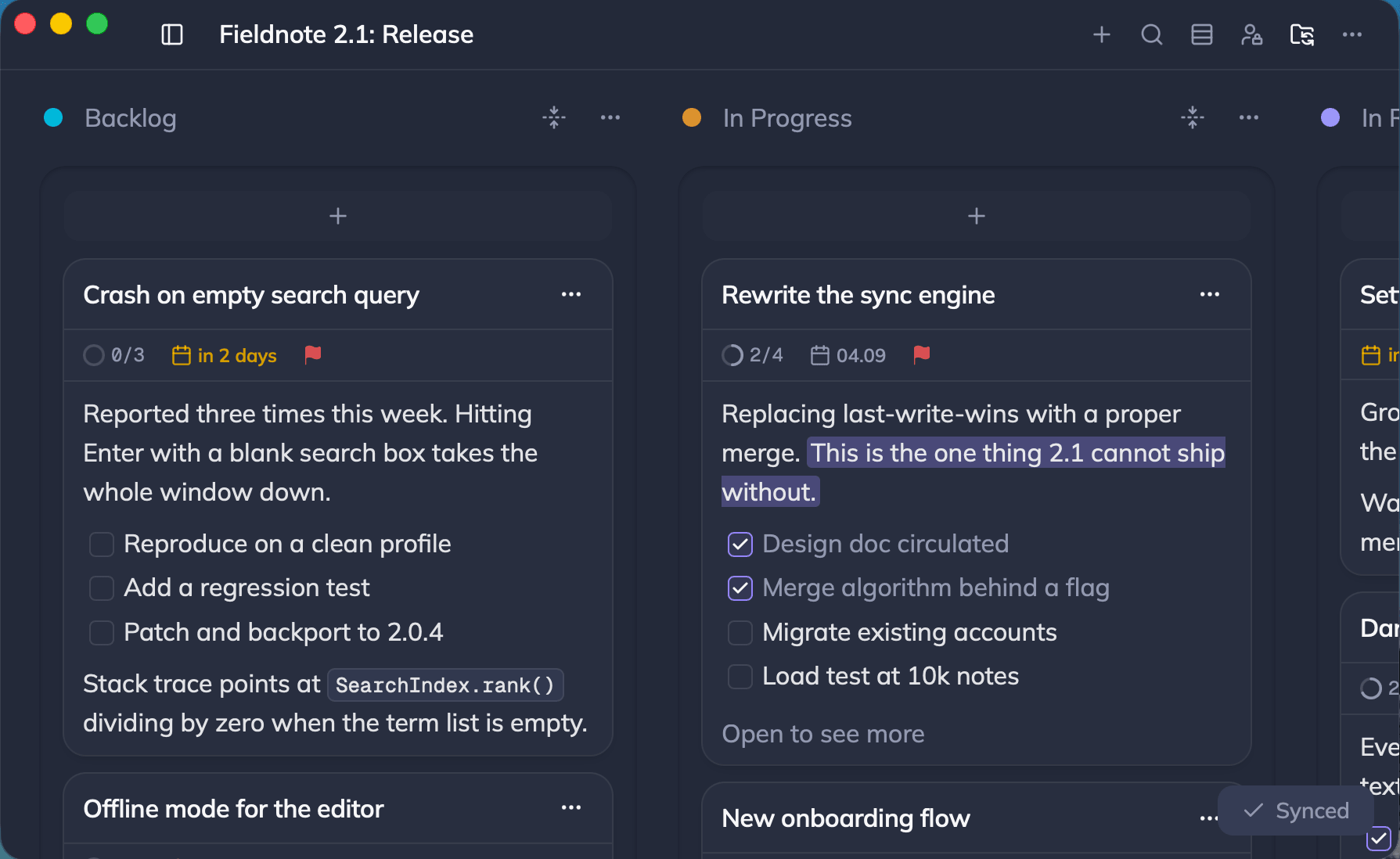
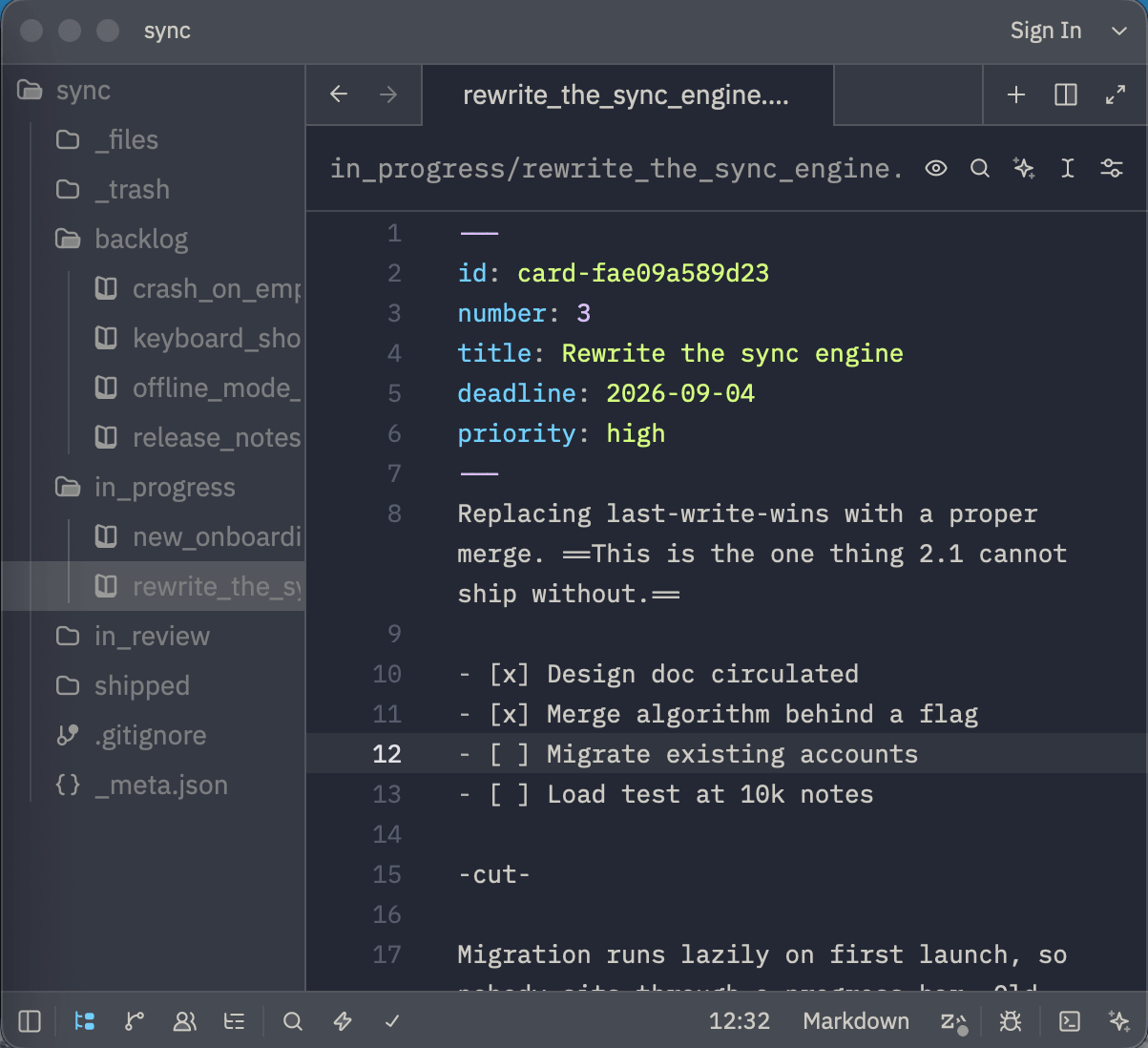
Select a folder to sync your board into.
Folder per board and column, markdown file per card.
Desktop app only.
On multiple devices
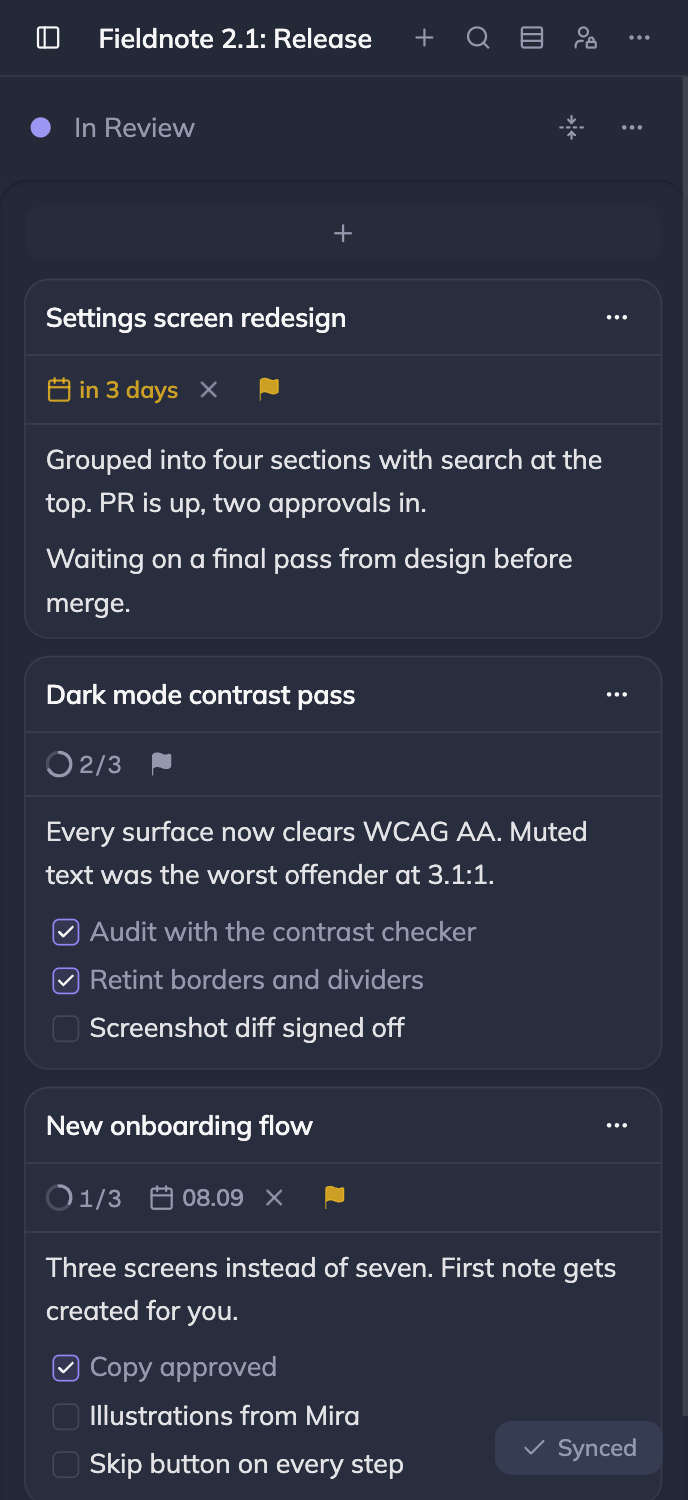
Self-host a sync server and sync boards across devices.
 Synced
Shared between multiple people
Create accounts and share with others, or make a public board.
Admins can create users. Users can have their own boards or become members of someone else's board.
Boards can be marked as public to make them accessible via a link without signing in.
All features
Syntax highlighting, a slash menu, attachments, and cards that cross-reference each other.
Any OIDC provider on a self-hosted server.
Every card as one list grouped by deadline. Tick the box to mark it done.
Both sortable.
Cmd+K on a board. Matches the id, the title and the body.
Let agents manage your boards and cards.
Deleting a card offers an undo toast. Everything else lands in the trash.
Boards stored locally, so the app is quick and works offline. Sync is on top.
One install script and Docker Compose. Syncs boards across devices and makes sharing possible.
Mirror a board to a folder on disk, two way. Folder per column, markdown file per card. Desktop only.
Same boards as the browser, plus folder sync.
Group boards into folders and reorder them. The layout syncs between devices.
Open source and free.
